My View Tab
|
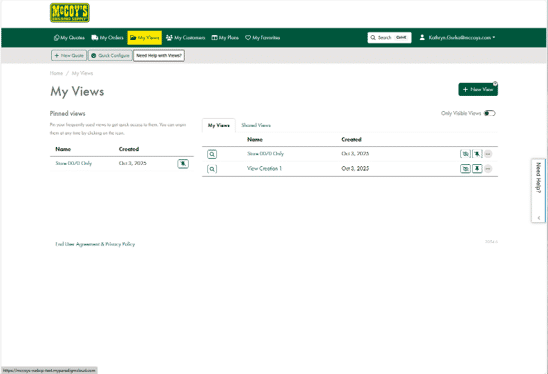
The My View Tab gives you the ability to add new views. Views are easy ways to see Quotes or Orders with certain criteria. You can display Pinned Views, My Views, and Shared Views. |
|
Creating a View Video
-
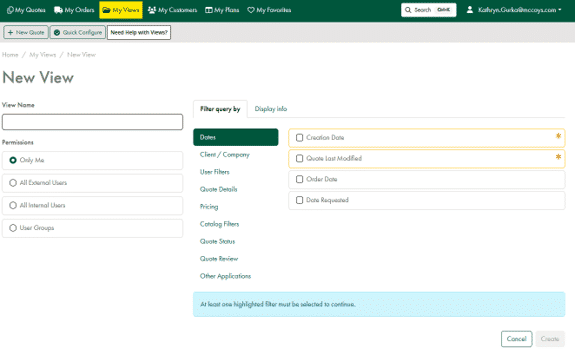
Click green +New View on the right side
-
The following will need to be filled out:
-
Enter View Name
-
Permissions (if you want to share with others)
-
Filter Query By (what criteria you want to see), selected fields with options or typeable fields must be filed out
-
Display Info (Add Column for the criteria you chose)
-
"Create" When Finished